JATO Design System | OpenText | 2023 - 2024
JATO Design System
OpenText's new design language for enterprise products. My concept, Lucent, reached the final two.
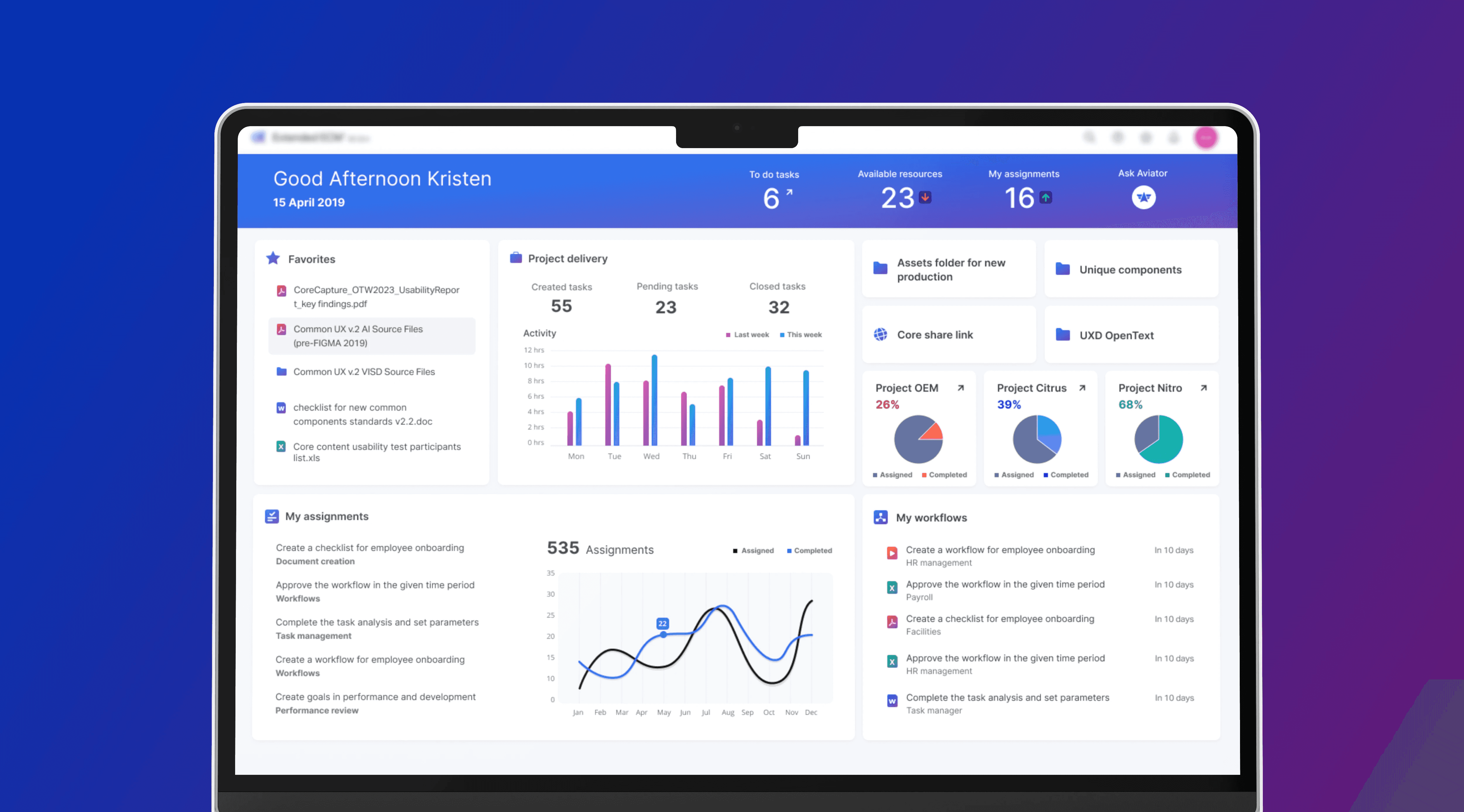
For more than five years our enterprise products ran on the same design language. It still worked, but it had quietly fallen behind. Every team had drifted into its own version of the same patterns, the screens were dense and hard to read, and there was nothing shared underneath to keep things consistent. Leadership wanted a reset for the AI era, and instead of assigning it, they opened it up as a competition. I entered with a concept I called Lucent. It made the final two.
TOP 2
Lucent placed in the final two, out of 14+ concepts.
30+
Components designed and documented
5
Accessibility standards built to - WCAG AA, ADA, EAA, Section 508, BITV
— Context
What is JATO?
JATO was the new name for our design language at OpenText, sitting behind a family of ECM products. These are the tools people live in all day to manage documents, workflows, records and compliance, so they're heavy on content and heavy on interaction. The brief was to modernise how all of that looked and felt, prove it on a few products, then take it across the org. Same products, same customers, but a new surface and, for the first time, a real system holding it together.
— Problem
Five years of drift adds up.
The old guidelines weren't bad. They'd just stopped keeping pace, and the gap showed up in ways that cost us every week.
Every product team had slowly built its own version of the same things. A button on one screen didn't match the button three screens over. Patterns got copied, tweaked, then tweaked again until nothing quite lined up. There was no shared library and no token layer underneath, so something as small as a colour change meant editing dozens of codebases by hand.
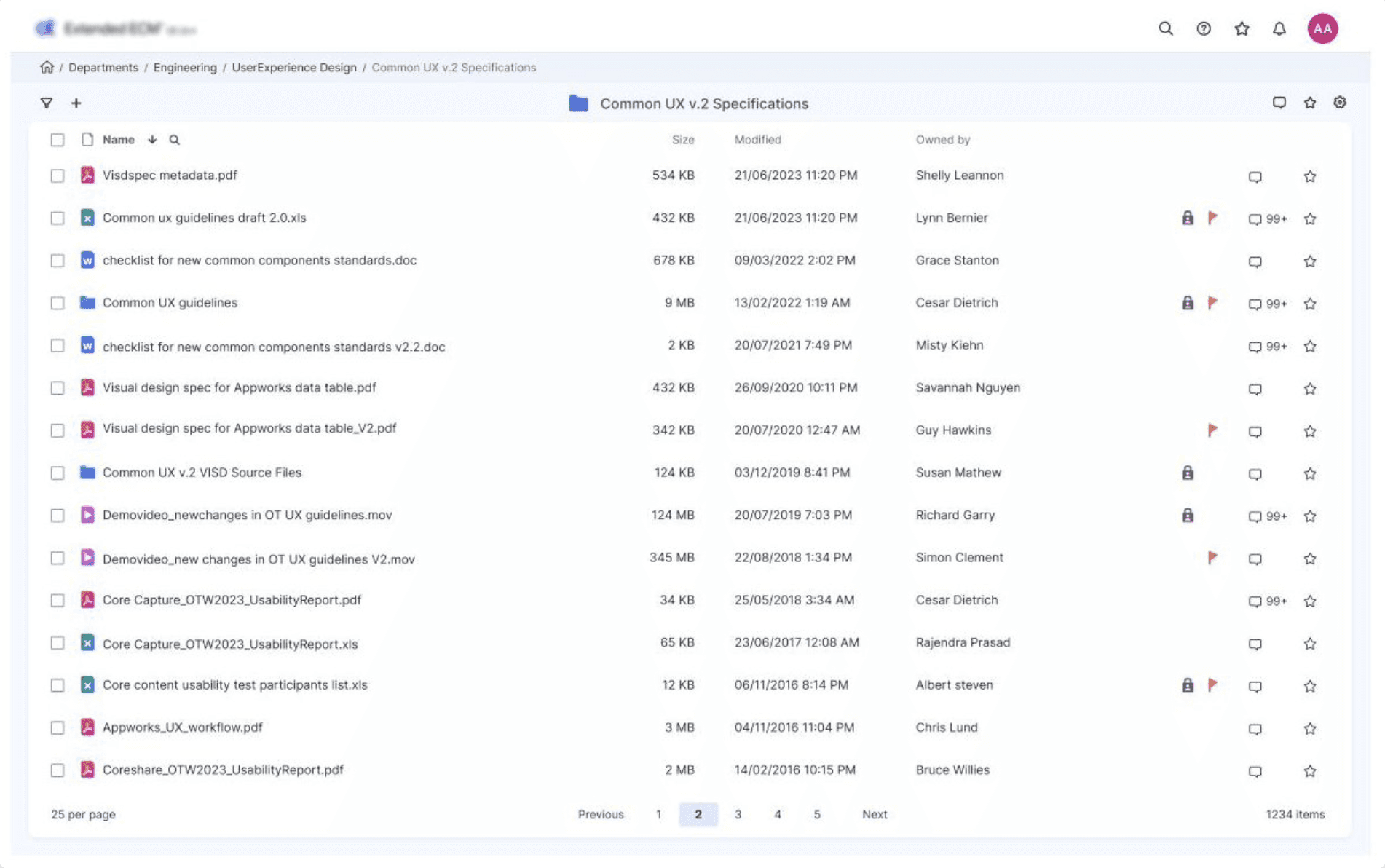
The screens themselves were the bigger issue. ECM is dense by nature, and years of bolted-on features had made it denser. The important things and the throwaway things often sat at the same visual weight, so people had to work to find what mattered. Accessibility had been handled case by case instead of built in, which is a rough place to be when your customers include governments and banks.
So the real ask under "make it modern" was bigger than a fresh coat of paint. Give the whole org one consistent, accessible, maintainable system, and make it feel current without losing the density these products actually need.
— The competition
They didn't assign it. They opened it up.
A design language that has to represent the company for years is a strange thing to hand to one person, so they didn't. The work ran as an open competition, and designers across the org were asked to pitch a direction.
It was a smart move and a risky one. Smart, because it pulled the best thinking out of the whole building and gave whatever won real buy-in instead of being handed down. Risky, because fourteen strong concepts from eight locations is also fourteen ways to disagree. Whatever I put forward had to be more than a good-looking screen. It had to hold up as something the company could actually be built on.
— The core problem
Modern design wants to breathe. ECM can't afford the air.
Everything that reads as "modern" right now is spacious: white space, big type, calm layouts, one thing at a time. ECM is the opposite. A single screen might carry a file tree, a thirty-column table, a metadata panel and a full toolbar at once, because that is the job.
So the question wasn't "how do I make this look modern." It was: how do you make the densest screens in the company feel light without throwing away the content that makes them useful? Lucent is my answer to that.
— Approach
I started with the name, not the pixels.
With a short timeline I led with the visual language and kept interaction changes light. But I didn't want to start by pushing rectangles around, so I started with intent. I mind-mapped the name. "JATO" could pull in a lot of directions, so I branched it into characteristics: energy, aerodynamic, refresh, accessible, assist, inspire, space, crisp. That gave me a vocabulary, and far too much of it.
To cut it down without just trusting my own taste, I ran a card sort with the team. Letting other people group and rank the words took my bias out of the first big decision and left me with the few that actually mattered. From there I built a mood board for each surviving theme, pulled the colours and textures that fit, and turned those into candidate palettes.
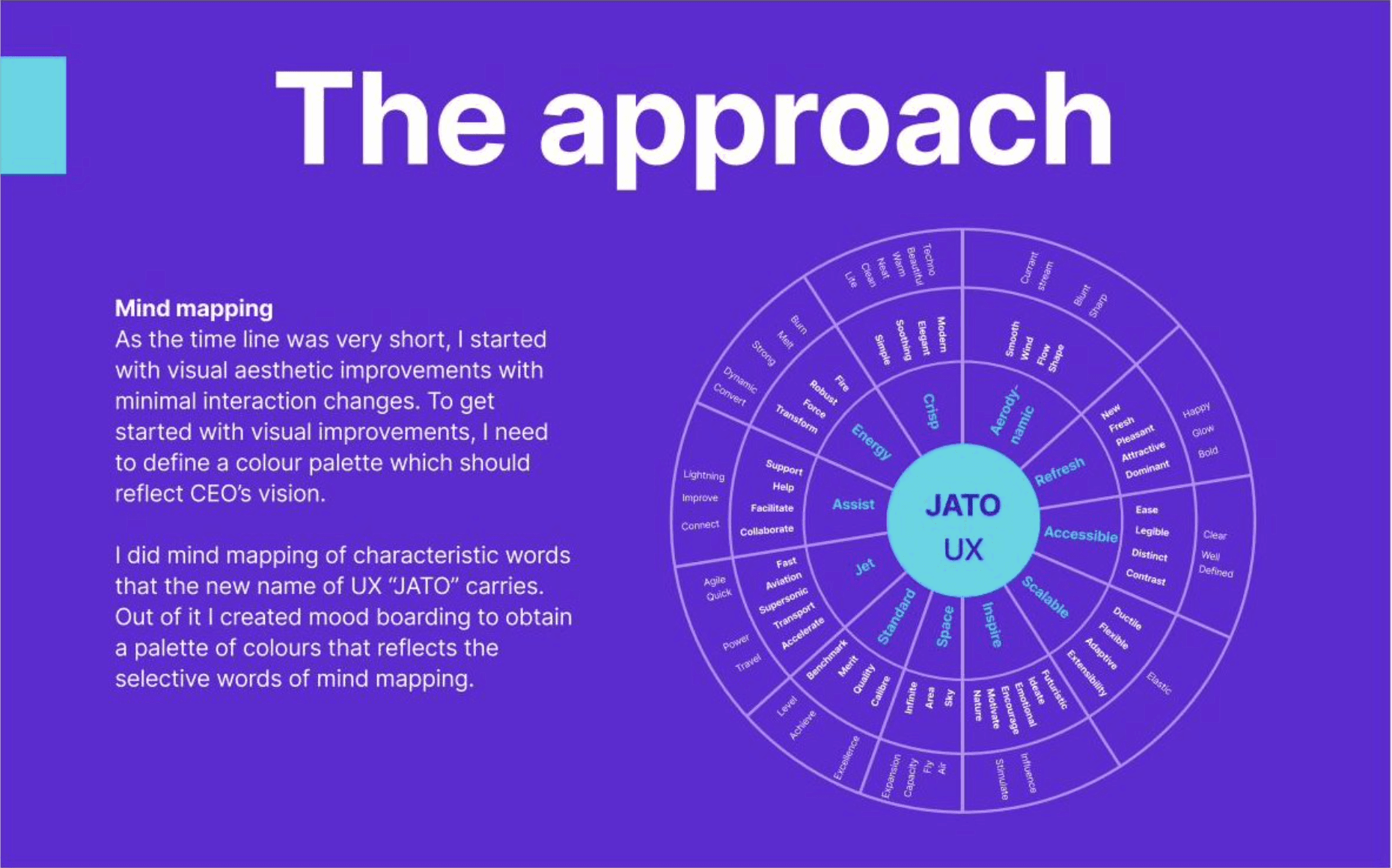
Mapping the name into characteristics before touching a layout.
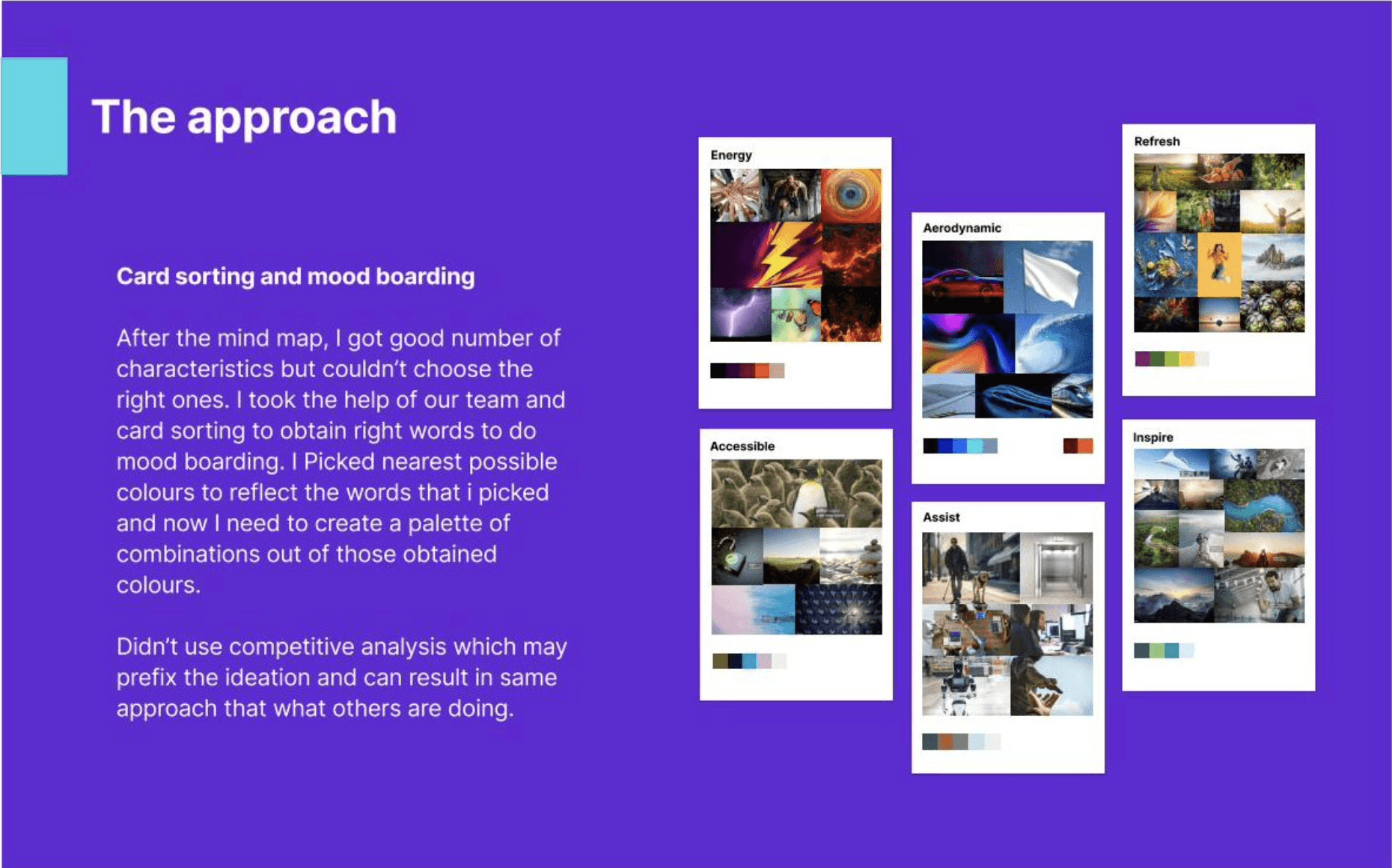
Card sorting down to the words that mattered, then a mood board and palette for each.
— The concept
Why I called it Lucent.
A handful of themes made it through the card sort, but most of them fought the brief. Energy was loud where the products needed calm. Aerodynamic looked great and said almost nothing once you tried to build a real button out of it. Lucent kept winning because it pointed straight at the tension I was stuck on.
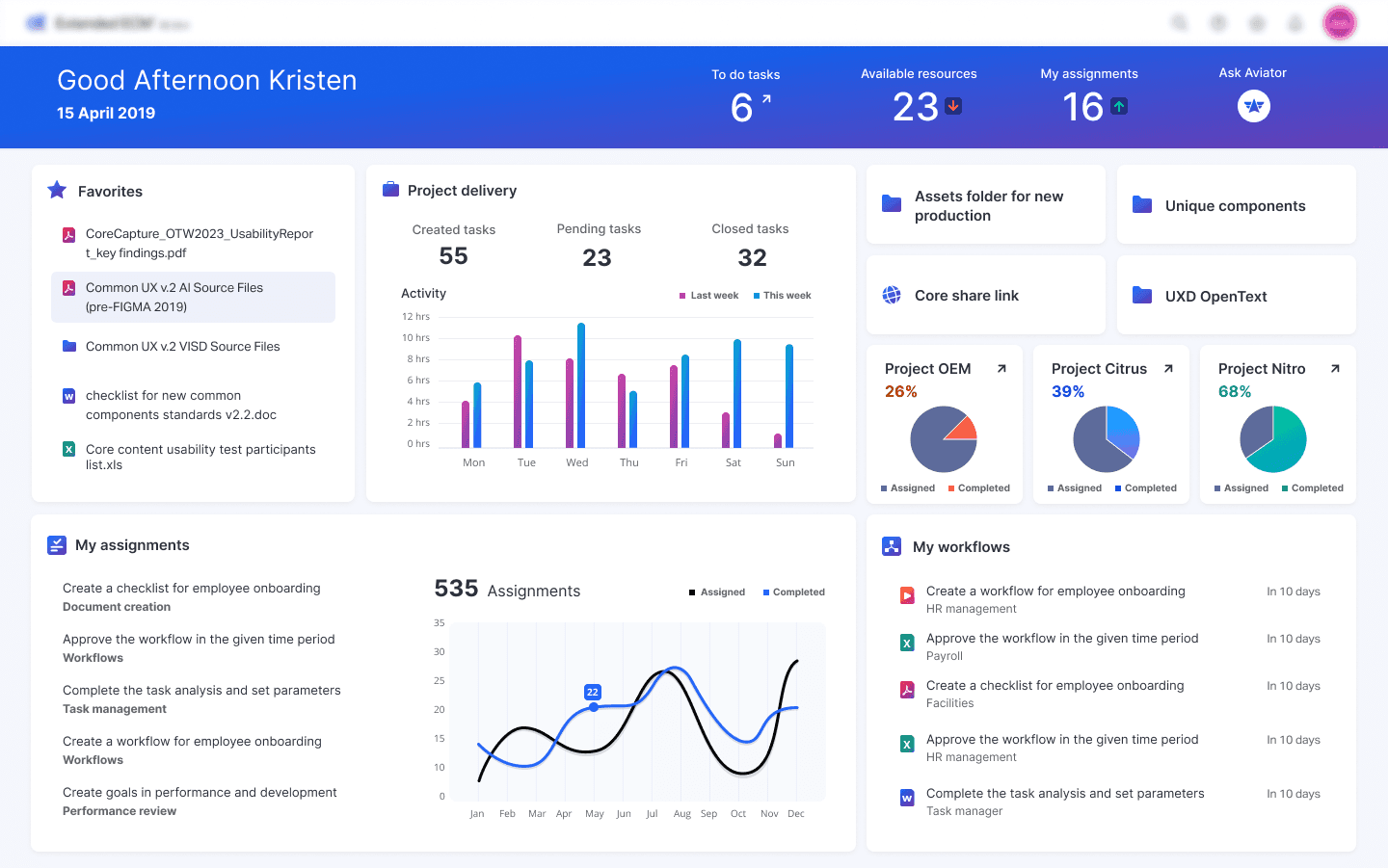
Lucent means giving off light. Not bright, not loud. Lit from within. That reframed the density problem for me. If I couldn't make a screen lighter by emptying it, I'd make it lighter with actual light: colour carrying the hierarchy, soft elevation lifting the things that matter, restraint on everything else. The feeling of air, on a screen that doesn't have any to spare.
It gave me three rules, and I held to all three. Light weight, so it reads as calm even when the screen is full. Fresh and bright, so it sits comfortably next to anything shipping today. Practical, because none of it counts if a developer can't build it.
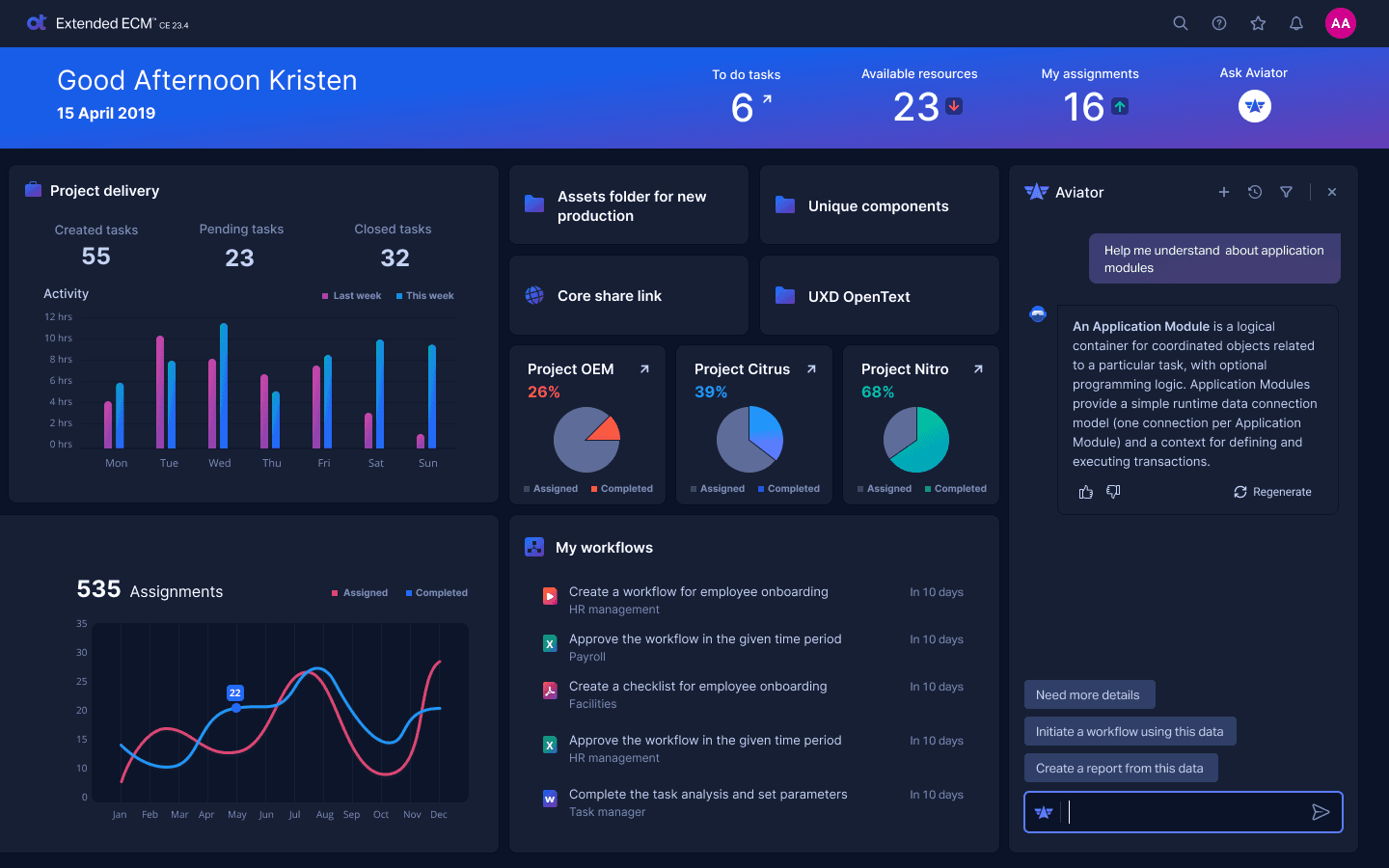
The palette did the heavy lifting. A deep navy to ground everything, an indigo and a teal to carry action and state, a magenta for accent, and a near-white that does most of the breathing. Light and dark weren't a nice-to-have either. If the system really ran on light, it had to prove it worked with the lights off too.
Navy
Indigo
Pink
Teal
Pale
— Where it landed
Top two, out of fourteen.
After a few rounds of review, Lucent made the final two out of more than fourteen concepts from eight locations, and then it won. In a field that size, from a team that strong, that was a result I was proud of.
The last round was part of the CHIP (Cloud High Impact) review. Lucent was chosen to move to engineering, with one clear steer from leadership: bring the primary OpenText colours to the top level, so every product reads unmistakably as OpenText. So the work shifted from concept to build, folding the OpenText palette into Lucent's light-and-elevation system without losing the calm that made it work.

— Execution
One Design System, thirty-plus components.
The concept was the easy part. The real work was turning a feeling into a system other people could build with, and doing it alongside Marketing's wider "One OpenText" rebrand: a new logo, clearer product names, a primary palette to align to.
I reworked the screen grid and the cues that carry hierarchy, because that is where the "light" actually lives. Elevation, colour, shadow and iconography doing the work that empty space couldn't. Then I designed out more than 30 components and got them ready to document.
The hard part was never any single component. It was consistency. Thirty things designed in isolation drift apart, the same way the old system did. Keeping them on one set of tokens and one logic is what makes it a system instead of thirty nice screens.
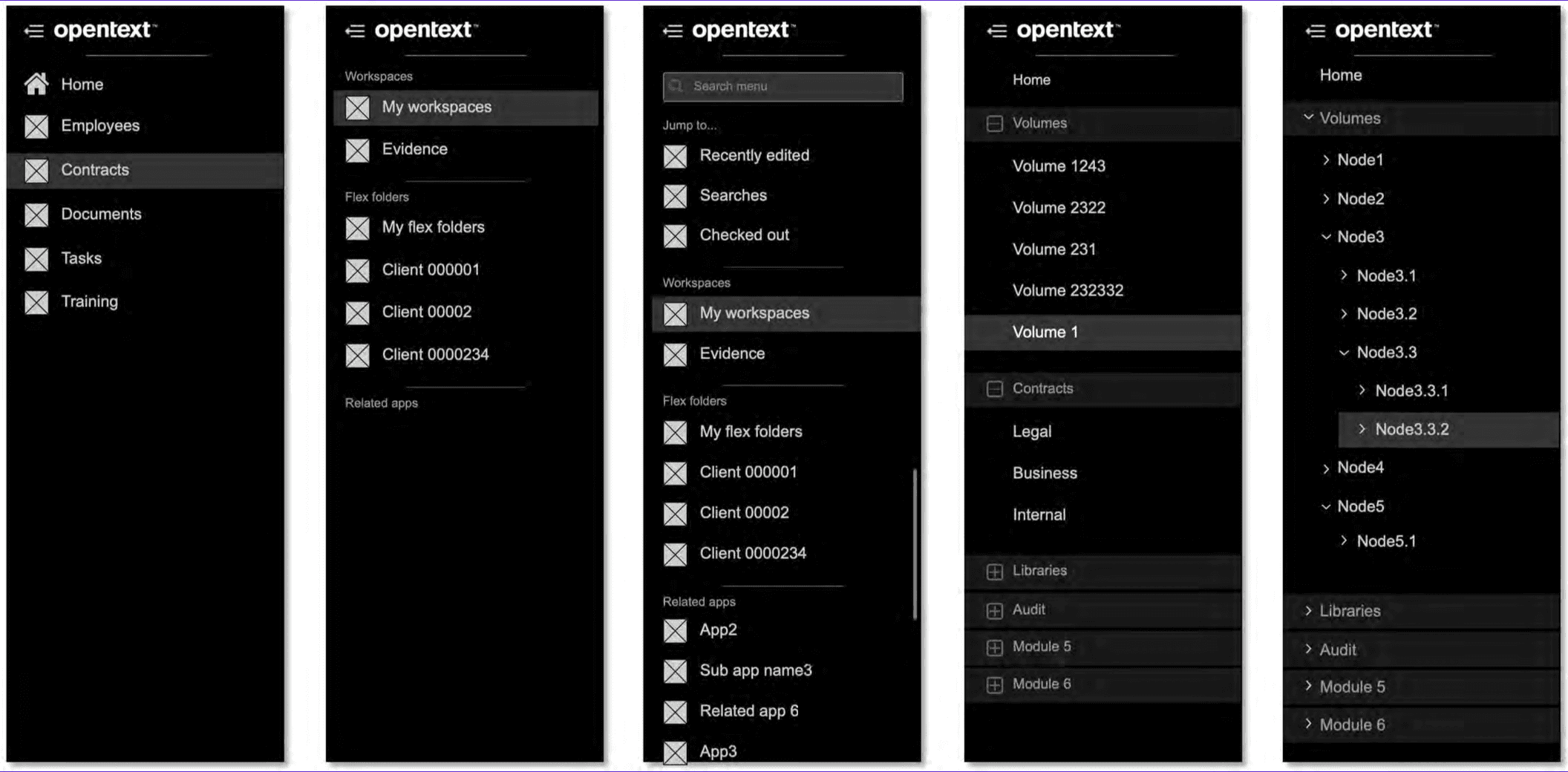
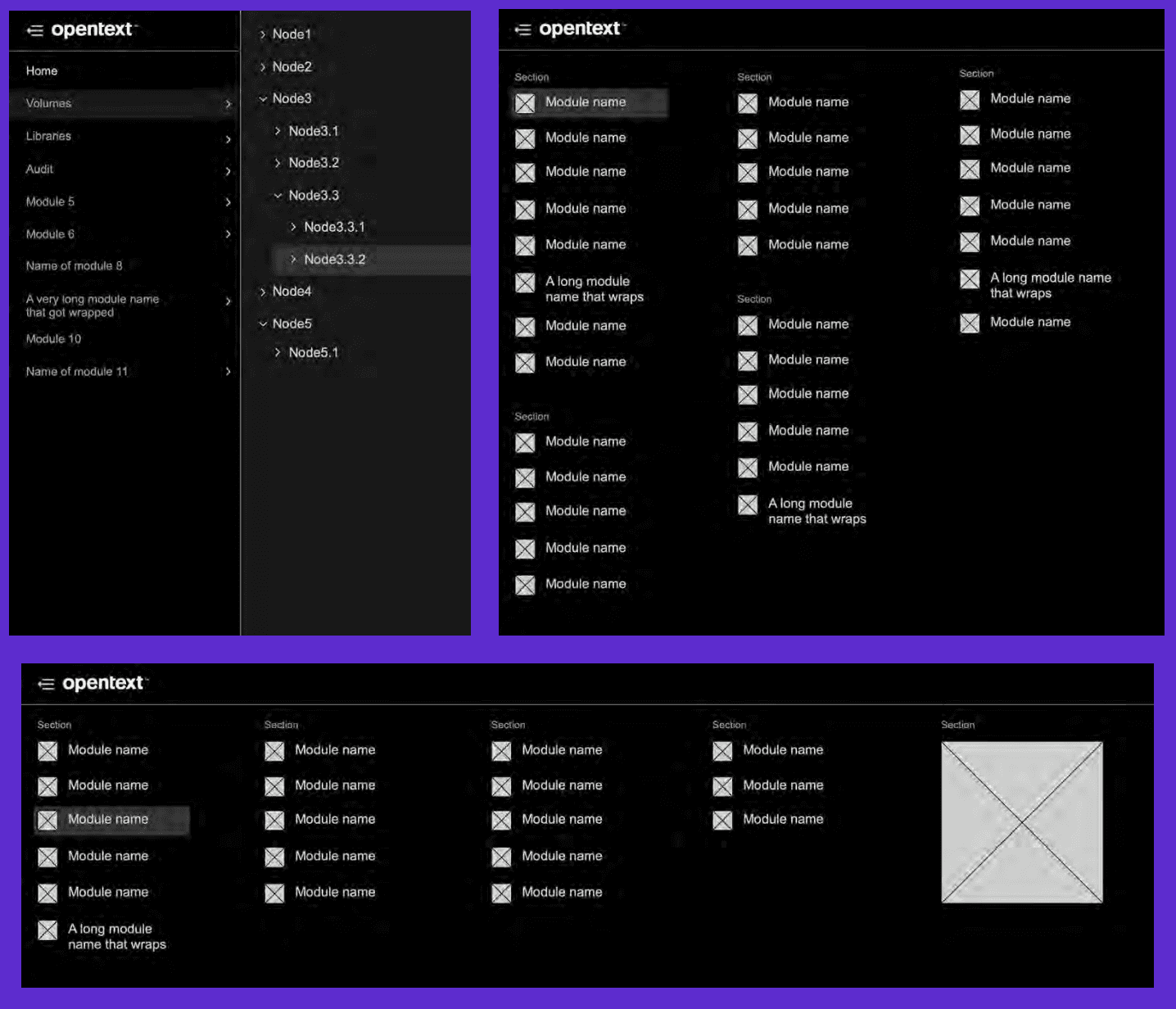
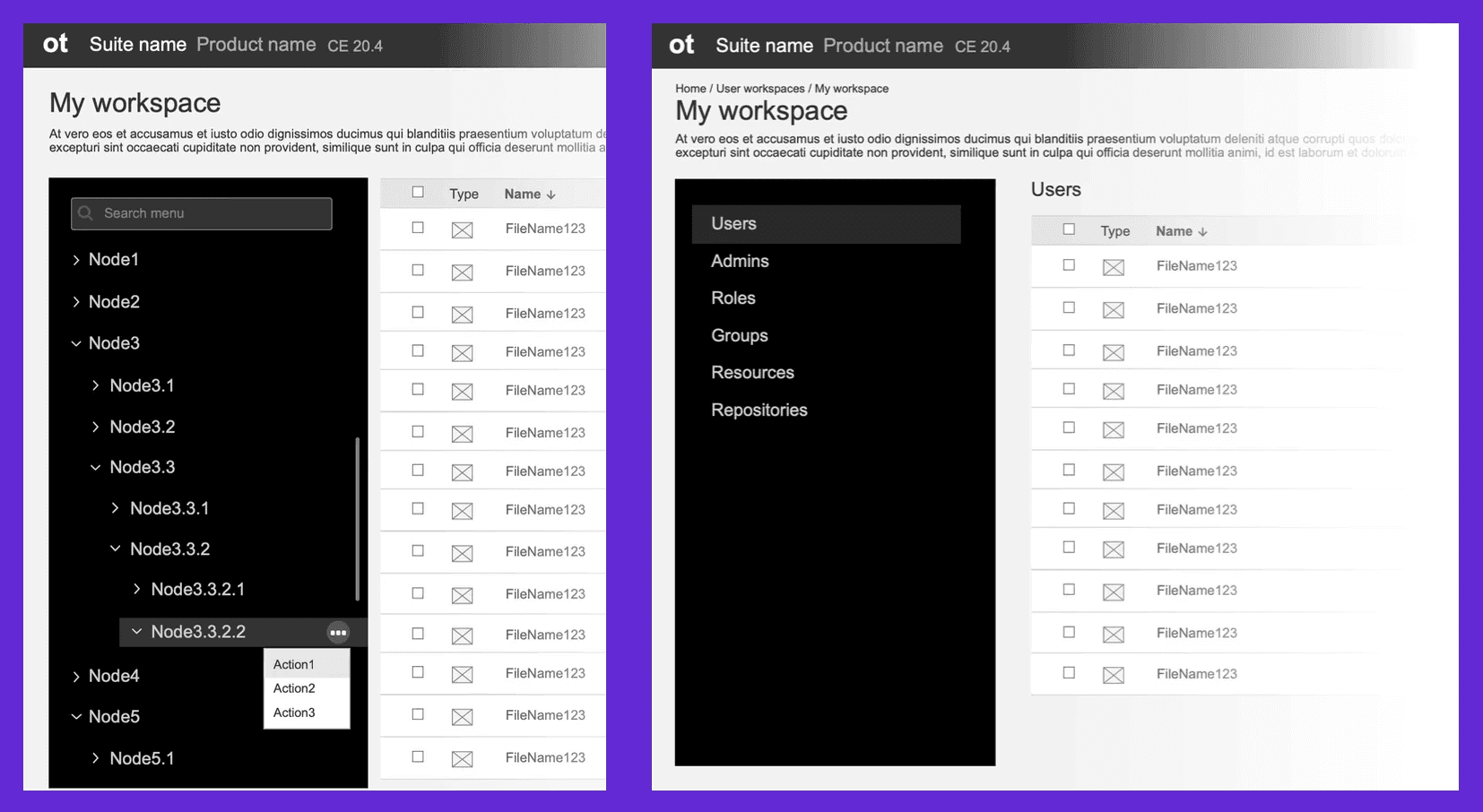
Platform-level navigation
Platform-level navigation
Faceted filters
Faceted filters
Notification centre
Notification centre
Modal panels and windows
Modal panels and windows
Mime icons
Mime icons
Aviator
Aviator
About box
About box
Colours
Colours
Empty states
Empty states
— One example: platform navigation
Take platform-level navigation. A flat product and a product with a five-level hierarchy can't share a menu, so I designed a few patterns and defined when to reach for each. A hamburger menu for nested workspaces and volume trees. A mega menu for products with many sections and long module names. A sidebar nav for the deep hierarchies, where you need to see where you are and act on a row without leaving it.